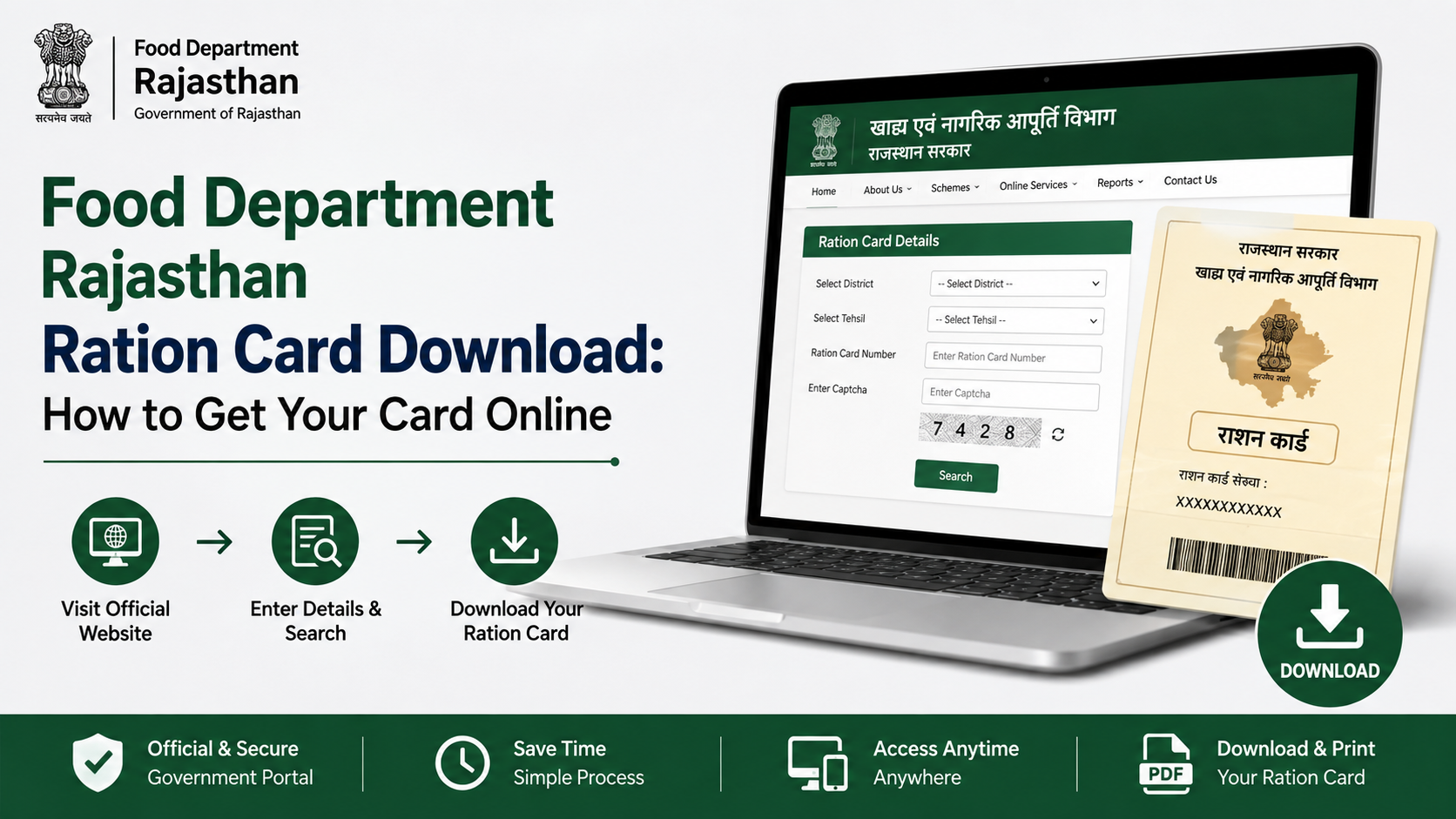
If you already have a Rajasthan ration card and need a digital copy, the official online service makes the process straightforward. The food department ration card download facility is available through the Rajasthan Ration Card portal, where you can retrieve a ration card or a surrender certificate using your district and ration-card number.
This guide explains the official process, what to keep ready, how to avoid common mistakes, and what to do if you do not yet have a ration-card number. It also separates downloading an existing card from applying for a new ration card or food-security benefits—three services that are often confused.
Key Takeaways
- Use the official Rajasthan Ration Card portal to download an existing ration card or surrender certificate.
- Keep the correct district and ration-card number ready before starting.
- Downloading a card is different from applying for a new ration card or NFSA food-security inclusion.
- Verify the cardholder name, family-member details, and fair-price shop information after downloading.
- If online retrieval fails, use Rajasthan e-Mitra support or an authorised e-Mitra kiosk.
- Do not share your ration-card details, Aadhaar information, or OTPs with unofficial websites or agents.
What Is the Rajasthan Ration Card Download Service?
The Rajasthan Food and Civil Supplies Department provides a dedicated online page titled “Download Ration Card / Surrender Certificate.” It is intended for households that already have a ration-card record and need a downloadable copy of the card or a certificate confirming its surrender.
The official page is available at the Rajasthan Ration Card download portal.
A ration card is a household document used in the public-distribution system and may be relevant for accessing or verifying entitlement-related services. Its availability does not automatically confirm eligibility under the National Food Security Act (NFSA). Rajasthan’s food-security portal treats NFSA applications, application-status checks, new-member additions, and ration-card downloads as separate services.
Before You Start: Details You Need
The online download screen asks for the following core details:
| Detail | Why it matters |
|---|---|
| District | Select the district in which the ration-card record is registered. |
| Ration-card number | Identifies the household’s existing ration-card record. |
| Information shown on the screen | Complete any required verification fields exactly as displayed. |
Use the number printed on an old ration card, previous department receipt, or another official household record. Enter it carefully. A wrong district or number can prevent the portal from finding the record.
If You Do Not Know Your Ration-Card Number
Do not guess or repeatedly try random numbers. First check household records, prior ration-distribution receipts, or documents kept by the cardholder. You can also use the Food Department’s public services to view ration-card and ration-distribution information, or seek help from an authorised e-Mitra kiosk.
A Jan Aadhaar number is not automatically a substitute for a ration-card number on the download page. The official Jan Aadhaar portal provides separate services for finding a Jan Aadhaar number and accessing a Jan Aadhaar e-card.
How to Download Your Rajasthan Ration Card Online
Follow these steps to download an existing card from the official portal.
- Open the Download Ration Card / Surrender Certificate page.
- Select your district from the list.
- Enter the complete ration-card number in the required field.
- Complete the verification requested on the page.
- Submit the details.
- If the record is found, open the available ration-card document.
- Review the displayed information before saving it.
- Download the file to your device or use the browser’s print option to retain a paper copy.
Save the document in a secure location. A clear file name such as Rajasthan-Ration-Card-[number].pdf can make it easier to locate later. Avoid saving it on a public computer; if you must use one, sign out where applicable and delete the downloaded file after printing.
Downloading a Surrender Certificate
The same official page also provides access to a surrender certificate. This document is relevant only when a ration card has been formally surrendered. Select the appropriate document option offered by the portal and use the correct district and ration-card information.
A surrender certificate should not be treated as an active ration card. If you need a new card, a correction, or food-security inclusion, use the relevant application service instead of attempting to reuse an old card record.
Downloading a Card vs Applying for a New Ration Card
These actions have different purposes.
| Your requirement | Appropriate route |
|---|---|
| You already have a ration-card number and need a copy | Use the official ration-card download portal |
| You need to apply for a new ration card | Use the Food Department’s new-ration-card application route |
| You want to apply for NFSA food-security inclusion | Use the official NFSA application service |
| You need to add a household member | Use the official new-member addition application |
| You want to check a pending application | Use the relevant application-status service |
The Rajasthan Food Department website lists these separate services, including new ration-card applications, NFSA applications, member-addition requests, and application-status links.
This distinction is important: downloading a PDF does not create, renew, amend, or activate a ration card. It only retrieves an available record or certificate.
How to Check the Downloaded Card
Before relying on the document, compare the details with your household information. Check:
- Name of the head of household
- Names of family members
- Ration-card number
- Registered address
- District and local-area details
- Attached fair-price shop, where shown
- Category or entitlement details, where shown
If the card contains an error, do not alter the downloaded document yourself. Use the Food Department’s designated correction, addition, or application process, or visit an authorised e-Mitra kiosk for assistance. A downloaded copy reflects the data already held in the department’s system; it is not a form for editing official records.
Using Rajasthan e-Mitra for Ration-Card Assistance
Rajasthan e-Mitra is the state’s citizen-service platform and can be useful when you need help with an application, document printing, or a transaction-related query. The official e-Mitra portal provides services, transaction-status options, and helpdesk information.
For e-Mitra kiosk services, the official rate page lists:
- ₹50 per government-service application, including ration-card applications;
- ₹20 per print for pre-printed certificates, including ration cards;
- additional departmental charges where applicable.
These listed rates include taxes, according to the e-Mitra rate page. They apply to the relevant kiosk service and printing; do not assume that they are a fee for downloading a document directly from the ration-card portal.
If a kiosk operator charges more than the notified service charge, the e-Mitra rate page lists the complaint number 1800-180-6127. For portal-related e-Mitra assistance, the official site lists 0141-2922241 and 0141-2922238.
Common Problems During Ration Card Download
The portal does not find the ration-card record
First confirm that the selected district matches the district under which the card was issued or is currently recorded. Then re-enter the ration-card number without extra spaces or missing digits. If the record still does not appear, contact the relevant local food-supply office or an authorised e-Mitra kiosk instead of relying on third-party websites.
The website is slow or does not open
Government portals can occasionally experience high traffic or temporary technical issues. Try again later using a stable connection and an updated browser. Type the official address directly or reach the download service through the Food Department website. Avoid search-result advertisements and lookalike domains.
The downloaded information is outdated or incorrect
A download cannot correct the underlying record. Use the Food Department’s appropriate service for a member addition, correction, new application, or NFSA-related request. Keep the downloaded copy and any application receipt for reference.
You only have Jan Aadhaar details
Jan Aadhaar and ration-card services are separate. The official Jan Aadhaar portal provides ways to obtain a Jan Aadhaar number or e-card, including the Jan Aadhaar mobile application and SSO-related options. For ration-card downloading, use the ration-card number requested by the Rajasthan Ration Card portal.
Safety Tips for Online Ration-Card Services
Use only official Rajasthan government domains, particularly addresses ending in rajasthan.gov.in. Be cautious of websites that demand payment just to show basic card details or claim they can “guarantee” approvals.
Keep these safeguards in mind:
- Never disclose an OTP to an unverified caller or website.
- Do not upload Aadhaar, bank, or household documents unless the official service specifically requires them.
- Keep application receipts and transaction IDs after using e-Mitra.
- Confirm kiosk charges against the official e-Mitra rate page.
- Check the downloaded document carefully before submitting it anywhere else.
Frequently Asked Questions
Can I download my Rajasthan ration card without visiting an e-Mitra kiosk?
Yes. If you have the required existing record details, use the official Rajasthan Ration Card download page. An e-Mitra kiosk is an assistance option if you cannot complete the process yourself or need a printed copy.
What details are required for food department ration card download?
The official download page requires you to select the district and enter the ration-card number, then complete the verification displayed on the page.
Is a downloaded ration card the same as a new ration-card application?
No. Downloading retrieves an existing ration card or surrender certificate. A new ration card requires a separate application through the Rajasthan Food Department’s designated service.
Can I use the download portal to add a new family member?
No. Rajasthan provides a separate application service for adding a new member to a ration card. Use the relevant link on the Food Department portal.
What should I do if an e-Mitra kiosk overcharges me?
Check the official e-Mitra rate page. For complaints about charging above the notified service rate, it lists the toll-free number 1800-180-6127.
Conclusion
The official food department ration card download process in Rajasthan is designed for retrieving an existing ration card or surrender certificate online. Select the correct district, enter the correct ration-card number, complete the portal verification, and review every detail on the downloaded document.
For a new card, NFSA inclusion, a member addition, or a correction, use the separate service listed by the Rajasthan Food Department. Start with the official Rajasthan Ration Card download portal and keep your document and any related receipts safely stored.













